
Multi-client workspaces
Use clients when one Agentic OS install supports separate brands or customers.
Use clients when one Agentic OS install must support separate brands, customers, or project areas.
A client is not a Team. A client separates customer work inside a workspace. Team OS Teams separate people, permissions, and hosted resources. Read Multiple Teams when one account belongs to more than one Team.
The main rule
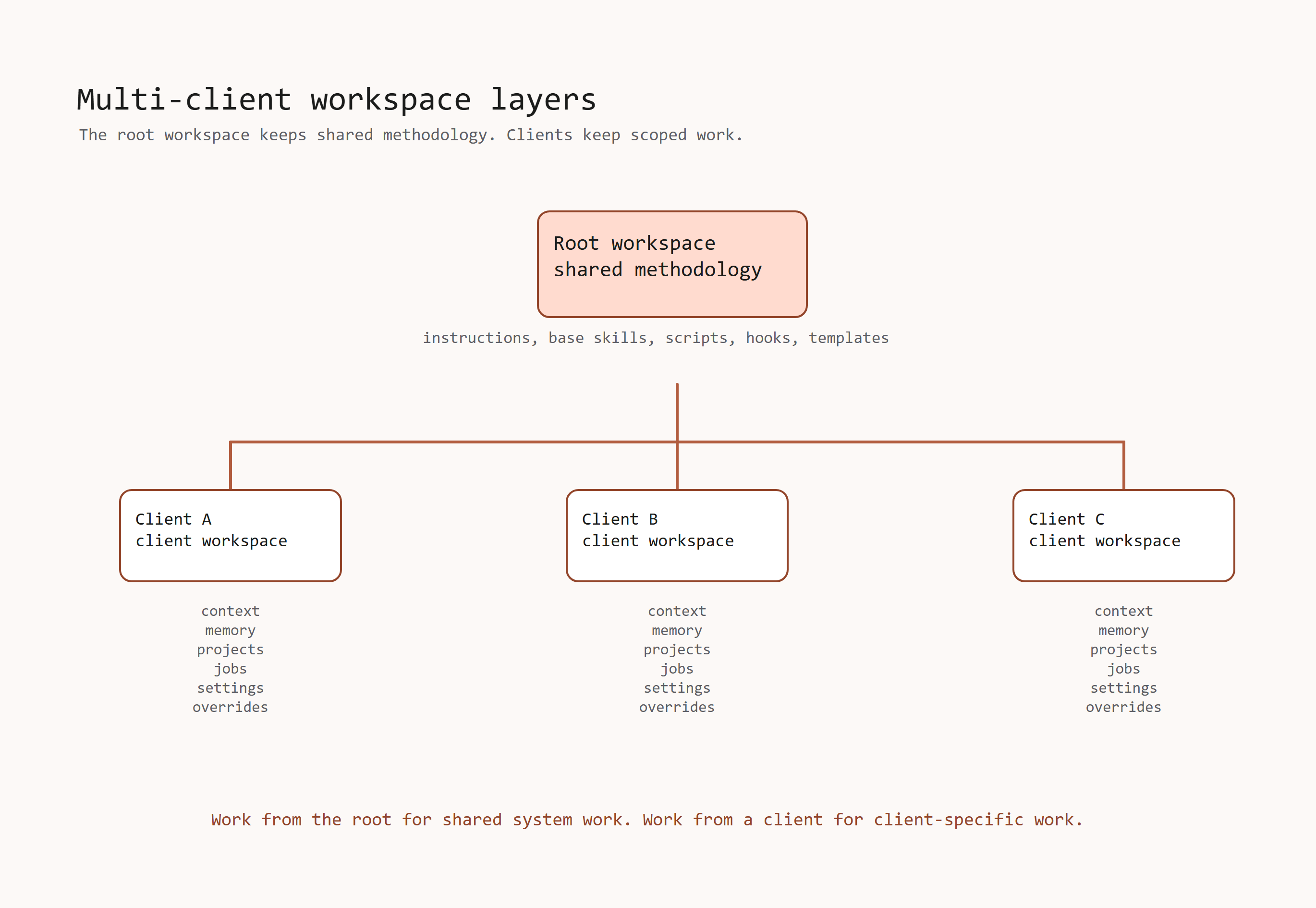
Agentic OS has two layers:
| Layer | Stored at | Purpose |
|---|---|---|
| Shared methodology | Root workspace | Shared instructions, base skills, scripts, hooks, and templates. |
| Client data | clients/{client-slug}/ | Client context, memory, brand data, projects, jobs, local settings, and overrides. |
Work from the root workspace when the task is for your own system.
Work from a client workspace when the task belongs to a specific client.
Add a client
From the root workspace:
bash scripts/add-client.sh "Client Name"Then start work inside the new client folder:
cd clients/client-name
claude
Agentic OS creates the client folder, copies shared system files, and gives the client its own context and output folders.
What each client gets
Each client can have:
- its own
AGENTS.mdandCLAUDE.md; - its own
brand_context/; - its own
context/and memory source files; - its own
projects/; - its own
cron/jobs/; - its own
.envif client-specific keys are needed; - its own client-only skills;
- its own
SKILL.local.mdoverrides.
How instructions load
Claude Code reads CLAUDE.md files from parent folders.
When you run Claude Code inside a client folder, it gets the root shared rules and the client-specific rules.
Codex reads AGENTS.md directly. It also sees the root rules first, then the
client rules.
Skills and overrides
Edit shared skills at the root workspace when the change should apply to every client.
Managed root skill copies refresh from the root during sync. If a client owns a
different skill with the same name, Agentic OS preserves it and shows a warning.
Rename that client-owned skill, or move its custom rules to SKILL.local.md, to
avoid the name conflict.
Do not edit a managed shared skill only inside a client folder. That managed copy can be overwritten during sync.
Use SKILL.local.md inside a client skill folder when only one client needs a
different rule for an existing skill.
For a skill that belongs to one client only, give it a unique name and put it
inside that client's .claude/skills/ folder. Agentic OS treats it as a
client-only skill and preserves it.
Updates
Run the guided installer from the folder that contains your Agentic OS workspace:
npx @scrapes/installerThe updater refreshes shared system files. It preserves root and client data,
including .env, brand context, memory, projects, cron jobs, local settings,
client-only skills, and local overrides.
Read Updating Agentic OS for update scenarios.
Cron jobs
One managed cron runtime can cover the root workspace and all client workspaces.
Start it from the root workspace when you want scheduled jobs to run:
bash scripts/start-crons.shOn Windows PowerShell:
powershell -NoProfile -ExecutionPolicy Bypass -File scripts\start-crons.ps1Use Command Centre when you want to manage jobs from the browser.