
Layered recall
Understand how memory search expands from a quick hit to deeper context.
Layered recall is how Agentic OS reads memory.
It starts with search. It only asks for more context when the first result is too small to answer safely.
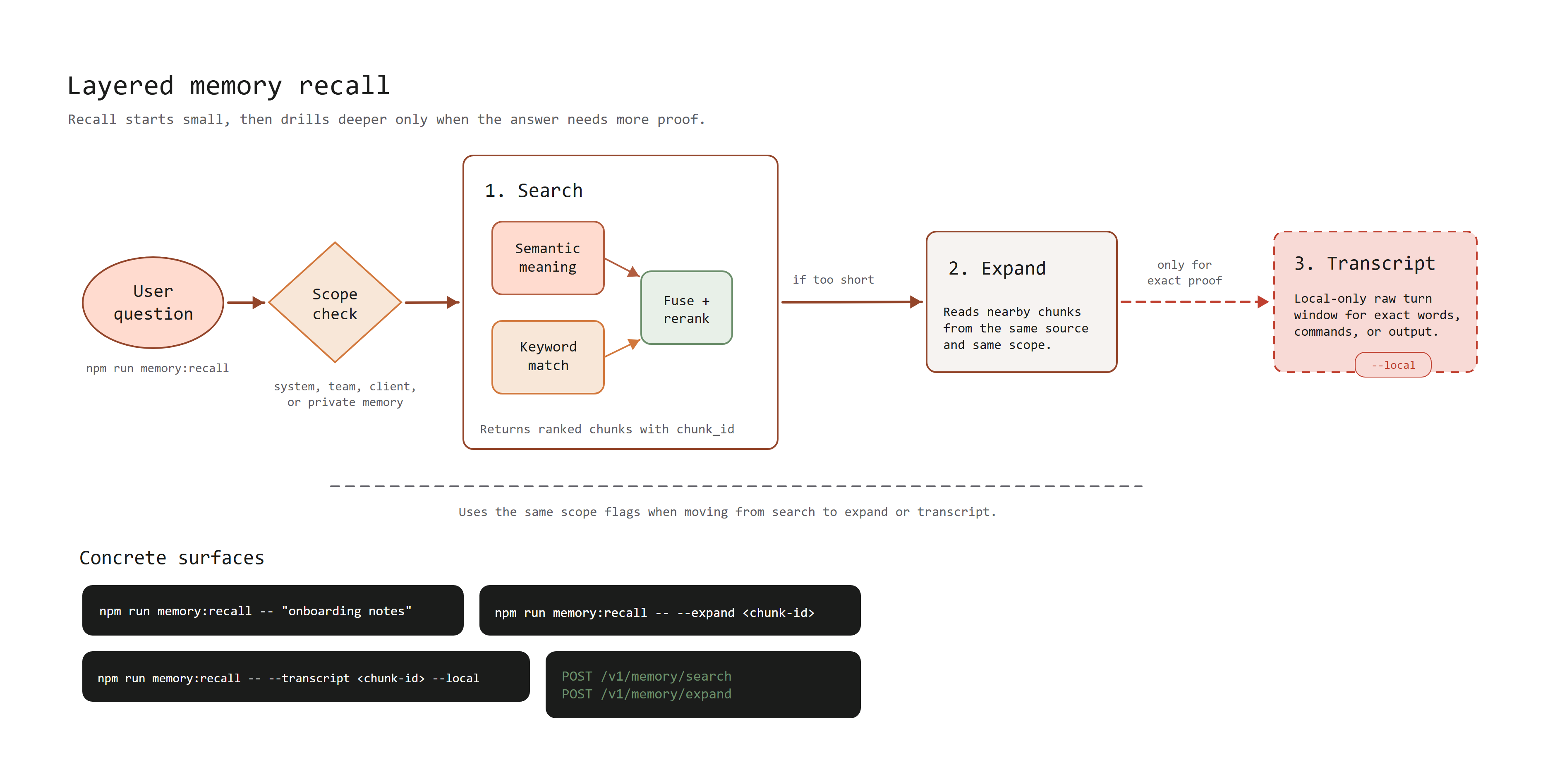
How it works
Recall has three layers:
| Layer | When to use it | What it returns |
|---|---|---|
| Search | First step for every question. | Ranked memory chunks from the allowed scope. |
| Expand | When the best result is too short. | Nearby chunks from the same source. |
| Transcript | When exact wording, a command, or output matters. | A small local transcript window around the matched turn. |
Search combines semantic search and keyword search. Semantic search helps with similar meaning. Keyword search helps with exact words, IDs, filenames, and settings. The results are combined and ranked before recall returns them.
Expand uses the chunk_id from a search result. It reads nearby chunks from the
same source and the same scope.
Transcript drill-down also uses a chunk_id. It checks the same scope again,
then reads a small window from context/transcripts/. This is local-only for
now because raw transcripts stay on the local machine.
Commands
Run search from command-centre/:
npm run memory:recall -- "onboarding notes"Expand a search result:
npm run memory:recall -- --expand <chunk-id>Read the local transcript window for a result:
npm run memory:recall -- --transcript <chunk-id> --localUse the same scope flags across the whole recall. For example, if search used
--client acme, use --client acme again for expand.
Hosted Team OS behavior
When the local workspace is signed in to Team OS, search and expand use the hosted API by default.
Hosted Team OS supports:
| Endpoint | Purpose |
|---|---|
POST /v1/memory/search | Search allowed memory. |
POST /v1/memory/expand | Expand a search result into nearby source context. |
Transcript drill-down still needs --local because it reads raw transcript
files from the local workspace.
For API details, see Hosted Team OS API.
Next: Hosted Team OS API